TikTok · Trust & SafetyAccount verification flow
UX copy for TikTok's verification badge application, a flow where every screen has to earn enough trust to ask for a government ID.
RoleContent Designer
Content Strategist
ScopeEnd-to-end flow
Error messages
Edge cases
SurfaceTikTok mobile app
AudienceReputable creators (celebrities, artists, athletes, influencers)
Credible businesses and institutions
Phase 1: Getting them in
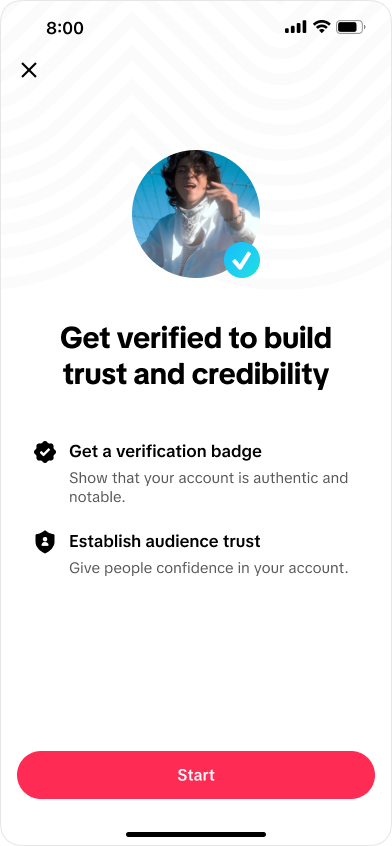
The entry screen leads with what verification does for the user. No mention of IDs or review times; that friction comes later, once they're invested.
GoalsReduce confusion and friction
Increase verified accounts
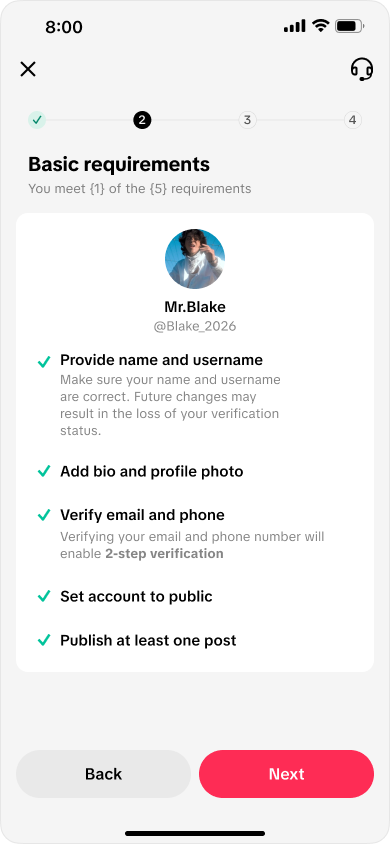
Basic requirements checklist showing five account requirements
The flow
Prevention
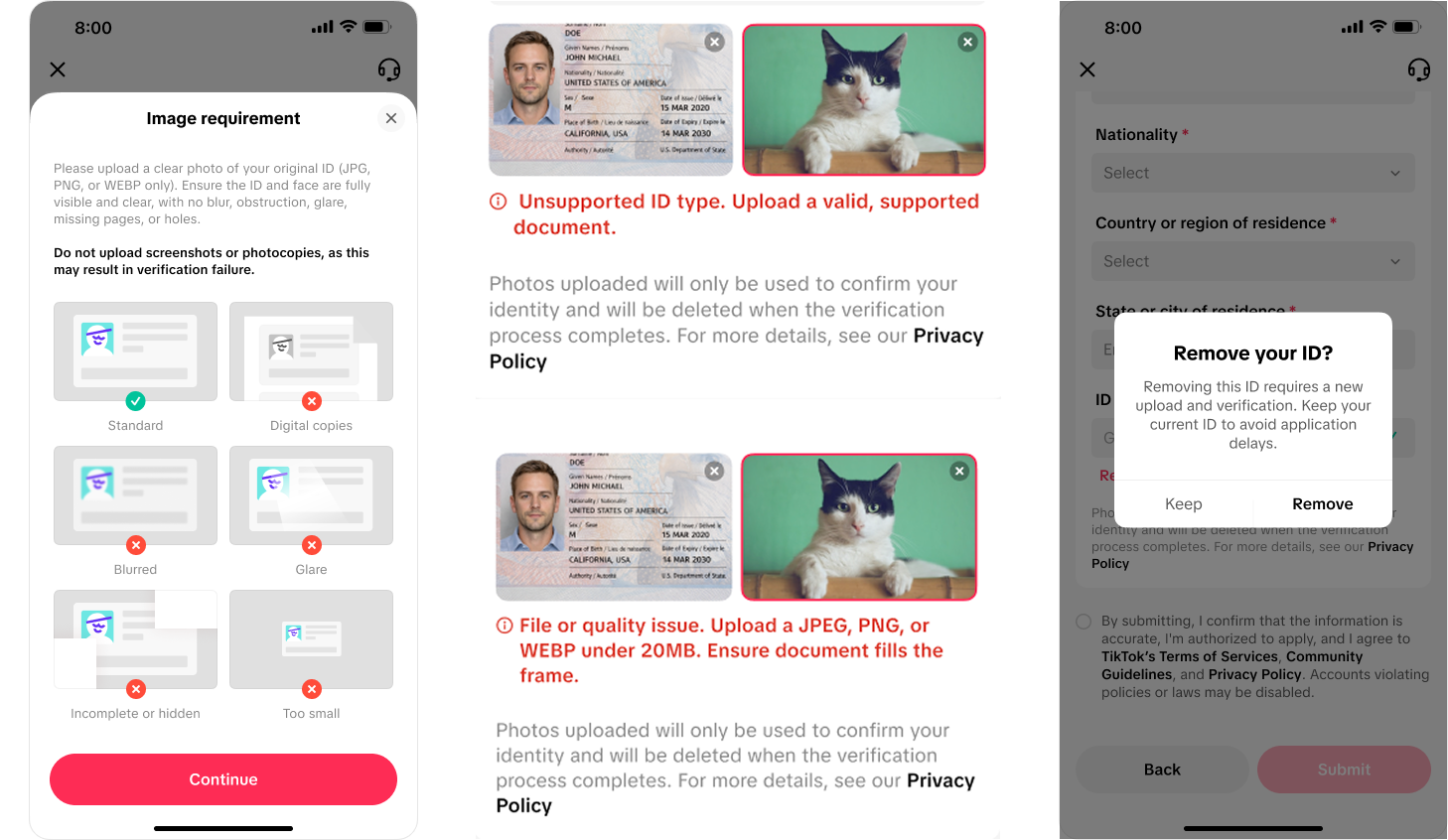
One ✓ and five ✗ examples: visual do/don't beats prose rules. The most common failure ("no screenshots or photocopies") is bolded on its own line.Confirmation
"Remove your ID?" states the consequence, not just the question. "Keep" comes first; the destructive action never gets the default.Impact10M+ in annual savings by reducing ID verification requests
Higher completion rates
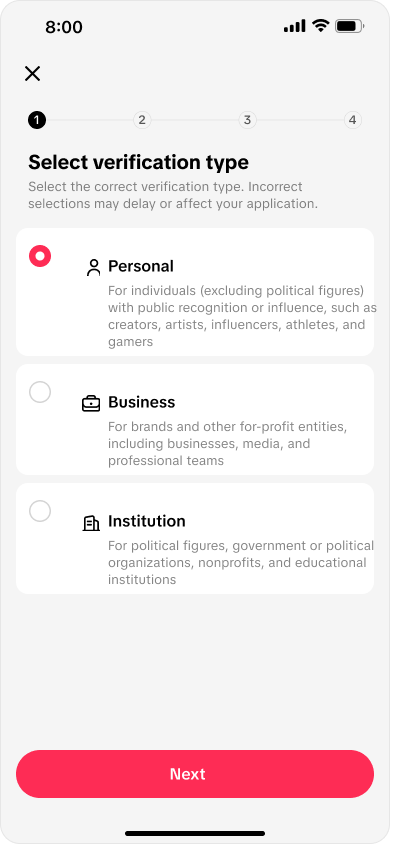
Each verification type is defined by who it's for, with concrete examples. The biggest misfiling risk, political figures, is handled inside the option text itself.
"Incorrect selections may delay or affect your application."The costliest mistake in the flow, warned before the choice, not after the failure
The application
Phase 2: Make the requirements impossible to misread
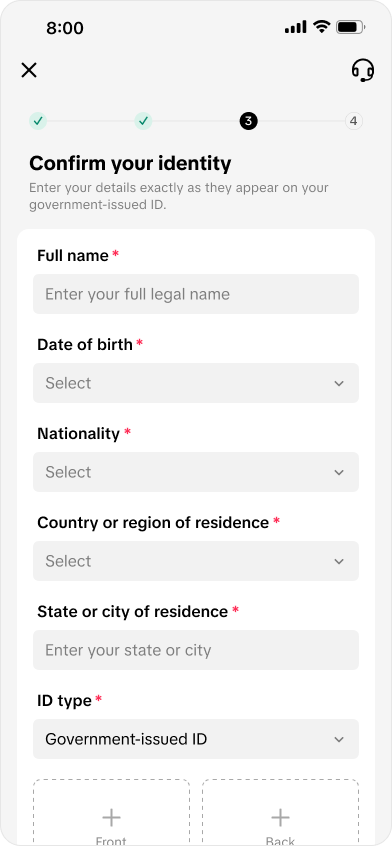
Requirements read as personal progress ("You meet {x} of the {total} requirements"), not a wall of rules. The identity form says the one thing that matters: enter details exactly as they appear on your ID.
Recovery
Errors name the problem and the fix together: "Unsupported ID type. Upload a valid, supported document." Privacy reassurance sits directly under the upload, right where the anxiety happens.Confirm your identity form with legal name, date of birth, and ID upload fields
The follow-through
Beyond the happy path
Errors, warnings, and second thoughts
What this flow taught me
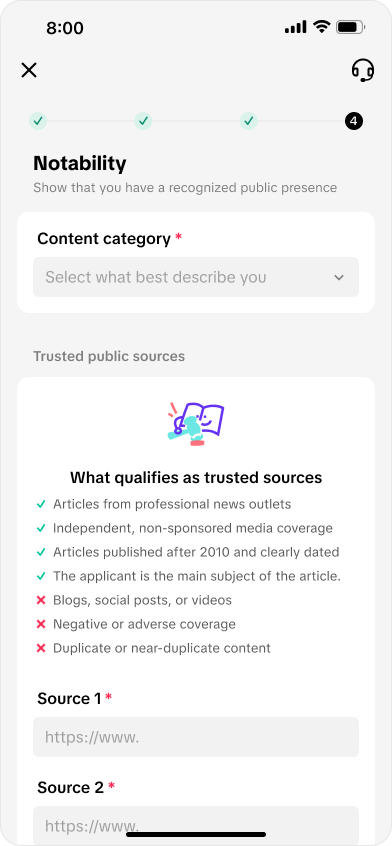
Notability screen with content category and trusted public sources requirements
✓ "Independent, non-sponsored media coverage"
✗ "Blogs, social posts, or videos"
Notability, the top rejection reason, turned into a concrete accept/reject list
Phase 3: Eliminate the “now what?”
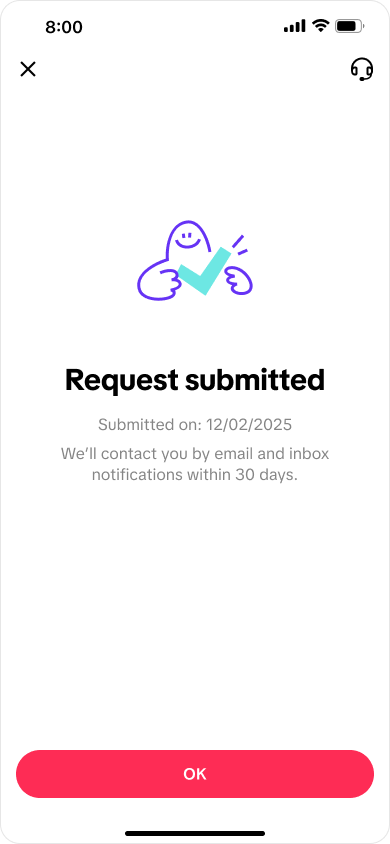
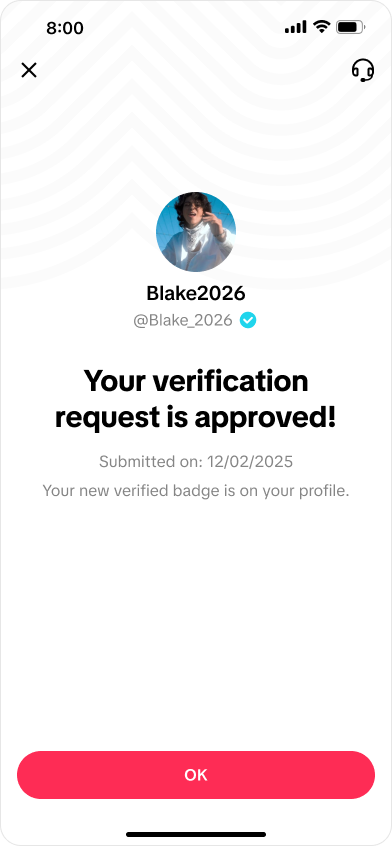
Submission sets the expectation (channel and timeframe: email, within 30 days) so nobody contacts support tomorrow.
Approval resists over-celebrating: one exclamation point, then the useful part, where the badge now lives.
Takeaway
Trust-sensitive flows are written backwards: start from every way the application can fail, then write the happy path so those failures never happen. The best line here isn't on the approval screen. It's the warning on screen two.
Impact: this work contributed to $10M+ in annual savings by reducing reliance on third-party ID verification requests. Clearer copy meant more users completing verification in-flow.